Receivers
The Receivers page displays a list of individuals set to receive payments, with wallet information and payment history. This information allows you to track and manage the payments made to each receiver, and provides a snapshot of each receiver's interaction with a disbursement.
The list is scoped to the distribution account currently selected in the account picker. A receiver appears there if they have been disbursed to from that account, or were created from it.
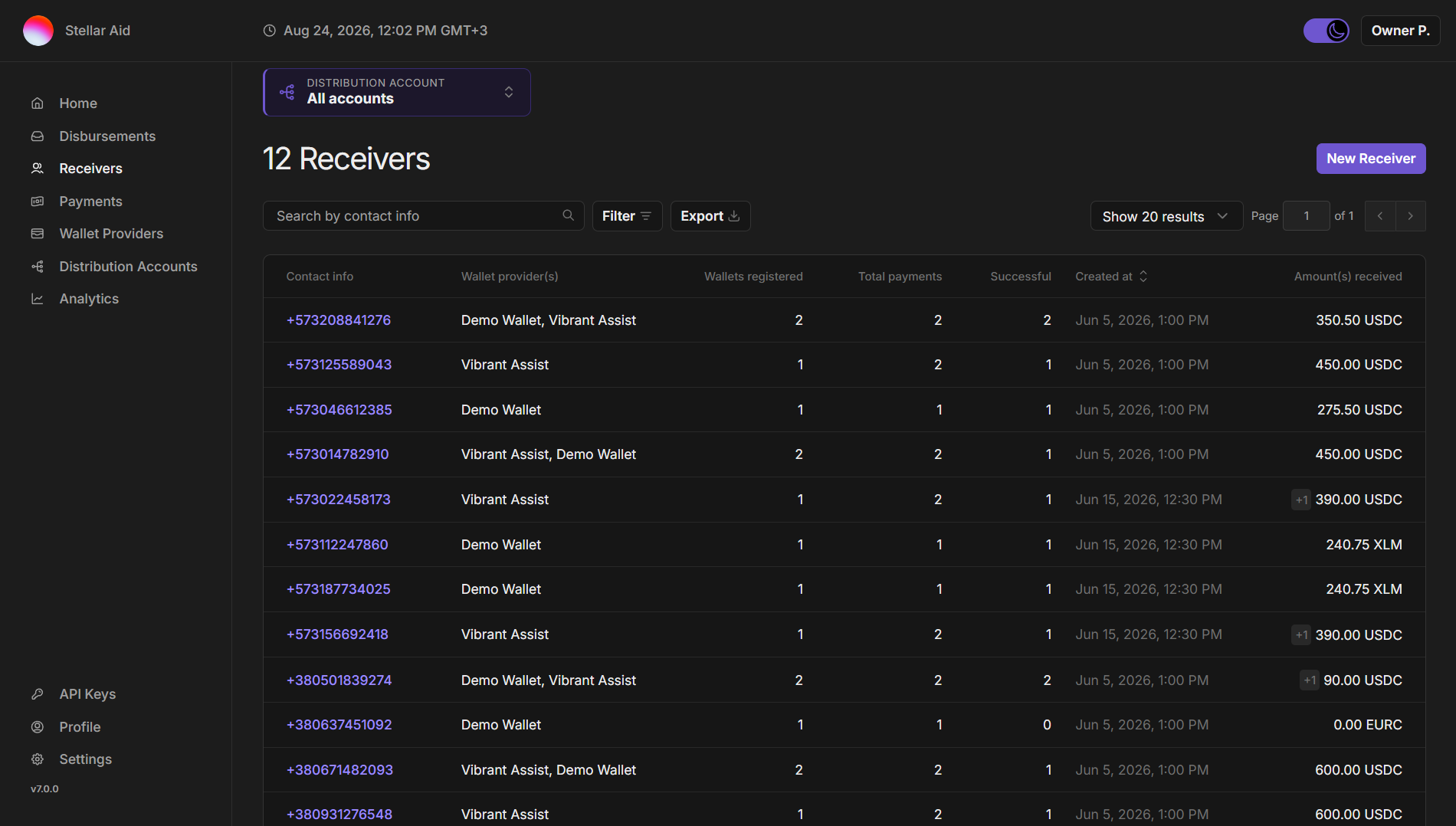
The Receivers page includes the following:
- Search and Filter - At the top of the Receivers page, there are several tools available to help you find specific information:
- Search by contact info: Enter a receiver's phone number or email address to quickly find their information.
- Filter: Use this tool to narrow down the list of receivers based on specific criteria.
- Export: Download the receiver list as a CSV. The export applies your current search, filters and selected distribution account.
- Receiver Details: Each receiver is listed with the following details:
- Contact info: The receiver's phone number or email address, depending on how they were registered.
- Wallet provider(s): The provider of the receiver's digital wallet (usually a non-custodial app on a person’s phone). A receiver who has registered with more than one provider shows all of them here.
- Wallets registered: The number of wallets registered and successfully linked to the SDP per receiver. A dash ("-") indicates no wallet has been registered.
- Total payments: The total number of payments intended for the receiver.
- Successful: The number of payments that have been successfully sent to the receiver’s wallet.
- Created at: The time and date the receiver was created in the system, displayed in your local timezone.
- Amount(s) received: The total amount the receiver has successfully received in the appropriate asset(s).
- You can click into an individual receiver to see their details, including their linked wallets and full payments history.